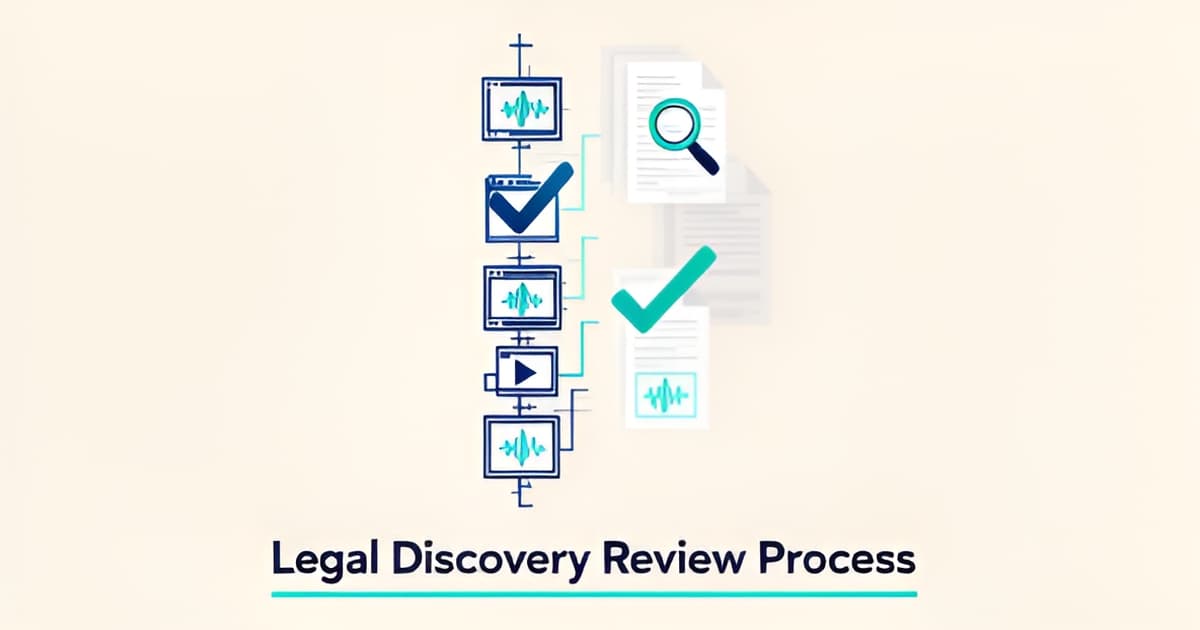
Discovery Review Checklist: A Defense Team's 2026 Workflow
Key Facts
- Some public defenders can dedicate only about 7 minutes per case once caseloads and underfunding are factored in, according to Stand Together reporting.
- Harris County's chief public defender estimates roughly 50% of review time saved on media-heavy cases using AI transcription tools, per one case study.
- JusticeText reports transcribing up to 50 discovery files in under 30 minutes, according to Stand Together.
- Defense attorneys using AI for drafting report 50–70% reductions in drafting and review time within the first week, citing Paxton AI data.
- The Colorado State Public Defender, with 1,000+ staff, uses AI transcription for bodycam and police interviews, per Reduct's public-defender deployments.
- A frame-rate drop from 30 to 15 fps in police video can make movements look longer than they were, according to Davis & Hoss.
- Solo defenders typically carry 30 to 50 active cases while public defenders often carry 100 or more, per industry research.
Why Discovery Review Breaks Down at Volume: The Problem Facing Defense Teams in 2026
The discovery dump arrives the same way every time: a link to forty hours of bodycam, three jail calls, a 911 recording, interrogation video, and a stack of scanned police reports with filenames like X13qrt9__x3455. If you don't run a discovery review checklist from the moment intake lands, the volume wins before you've opened a single file. That's not a discipline problem. It's arithmetic.
Some public defenders can dedicate only about seven minutes per case once caseloads and underfunding are factored in, according to reporting from Stand Together. Solo defenders typically carry 30 to 50 active cases, and public defenders often carry 100 or more, while significant prosecutions get two or three attorneys plus investigators and forensic experts. Offices in Georgia and Colorado now measure incoming discovery in terabytes, and as one case study from Reduct's public-defender deployments puts it, more data means more chances to miss vital information.
The math breaks down at the intake stage first. The evidence types driving the volume are predictable:
- Bodycam and dashcam video, often multiple angles of the same event
- 911 calls and jail calls, hours of audio per witness
- Interrogation footage requiring Miranda and timeline analysis
- Scanned police reports and affidavits with no text layer
When a defender has seven minutes per case, none of this gets watched or read end to end. The offense report becomes the proxy for the evidence. That's exactly the failure mode Harris County defenders describe: until transcription tools arrived, they had to rely on the truth of the offense report, and now they're seeing that the report and the truth don't always line up. The exculpatory statement buried at minute 3:47 of a jail call, the frame-rate drop in a DUI video, the report paragraph that contradicts the bodycam: those are the things a rushed review misses, and missing them is an ethics problem as much as a tactical one.
What overloaded teams need is a repeatable sequence, not more hours. There are no more hours. A structured intake-to-exhibit workflow that runs the same way on every case is what lets a solo defender with 40 cases triage like an office with 40 lawyers. The sequence itself is consistent across documented workflows: inventory the media, transcribe and OCR, index and search, flag inconsistencies against the reports, verify, then clip, redact, and build exhibits.
That's the logic behind Evidence Copilot's approach to discovery intake and its grounded discovery review workflow: the dump becomes a case file before review starts, so no attorney is improvising a process at 11 p.m. The checklist is the fix for the volume crisis, and the rest of this article is that checklist.
The Discovery Review Checklist That Matches How Evidence Actually Arrives
Most discovery review checklists fail because they're organized around document categories instead of the way evidence actually lands in your inbox: a dump of bodycam files with names like X13qrt9__x3455, a 911 audio file, jail calls, and a scanned police report with no text layer. A workable discovery review checklist mirrors the sequence the evidence itself forces on you, from intake through exhibit prep.
Start with intake, because everything downstream depends on it. The single most important rule: request original native files, not emailed copies. Each copy creates a new metadata trail, and only original exports can be authenticated under FRE 901 and 902. Ask for every camera angle of the same event, too. If there's dashcam and bodycam footage of one stop, you want both files now so you can synchronize them later rather than discovering a second angle two weeks before trial. A structured discovery intake process turns that first dump into an inventoried case file instead of a folder of mysteries.
Once files are in, the sequence that documented defense workflows follow looks like this:
- Transcribe and OCR everything. The Colorado State Public Defender, with 1,000+ staff, uses AI transcription for bodycam and police interviews, and JusticeText reports transcribing up to 50 files in under 30 minutes. Scanned reports need OCR so the text is searchable and citable.
- Index and search. Interactive transcripts let reviewers search keywords and jump straight to the relevant video segment, which is what makes a 40-hour review tractable.
- Flag inconsistencies. The highest-value AI applications for defense teams, per Clio's research, are finding contradictions between reports and recordings and surfacing Brady and Giglio issues. As Harris County public defender Jacquelyn Carpenter put it, offices used to have to rely on the truth of the offense report, and now they can check whether the report and the truth line up.
- Verify. Every AI citation gets independently checked before it touches a filing. Rule 3.3 candor duties apply, and Mata v. Avianca is the standing cautionary tale.
- Redact and build exhibits. Frame-accurate redaction, clipping, and syncing produce courtroom-ready exhibits, and originals stay untouched.
Two verification steps deserve their own line items. First, for any recording central to the case, run integrity checks: metadata, frame rates, compression. A drop from 30 to 15 fps can make movements look longer than they were, and files created after the incident date are exactly the kind of anomaly cross-examination is built on. Second, remember that AI output alone is not evidence; it supports expert testimony subject to cross-examination.
The ethics gate runs through every stage, all the way to the end. Keep privileged material out of consumer AI tools that retain or train on data, per Rule 1.6 and the Heppner decision, and confirm your tool's data-retention posture against ABA Formal Opinion 512. A grounded discovery review workflow builds those gates in, with every AI answer marked for human review and tied to the exact second or page it came from.
That's the checklist in practice: intake originals, transcribe and OCR, index and search, flag inconsistencies, verify, then redact and exhibit. It matches how evidence arrives, and it leaves the judgment where it belongs, with you.
Running the Checklist: Inconsistencies, Brady/Giglio, and Motion Prep
Once your evidence is transcribed, indexed, and searchable, the real work begins. This stage of the discovery review checklist is where cases get won: you're hunting for the gap between what the report says and what the footage shows.
Harris County defenders put it bluntly. "Until we had this sort of technology, we had to rely on the truth of the offense report. And now we're seeing that the offense report and the truth may not necessarily line up," public defender Jacquelyn Carpenter told Stand Together. Her colleague Jen Gaut credits contradiction-hunting with dismissals and charge reductions she "probably wouldn't have been able to" get before.
The research backs this up. Clio's analysis of criminal-defense AI identifies the highest-value AI uses as exactly this: contradiction search across bodycam, 911 calls, and jail recordings, plus discovery synthesis that flags inconsistencies, missing documents, and Brady/Giglio issues. If your workflow starts from the offense report, you're reviewing the State's story. Start from the media.
Run every named officer, witness, and forensic analyst against your in-case record of prior statements and reports. Look for materially inconsistent statements across reports in the same case, exculpatory statements buried in jail-call audio, and impeachment material the State hasn't turned over. A structured defense workflow, as NACDL frames it, is what lets you test theories and identify proof failures systematically instead of hoping you stumble on them.
Your checklist for this stage should cover:
- Verify each flagged contradiction against the original media, timestamp by timestamp, before you rely on it.
- Draft suppression issues (consent, search scope, stop duration, Miranda) with both sides' language quoted and cited to the exact moment.
- Build cross-exam questions from the contradiction itself: report language on one side, footage on the other.
- Screen every AI-generated draft against your own read of the evidence before it touches a filing.
That last item isn't boilerplate. As Davis & Hoss puts it, "AI output alone is not evidence; it supports expert testimony subject to cross-examination." The same rule governs your drafts: a tool can surface the contradiction, but the attorney verifies it, and the attorney signs the motion. Rule 3.3 candor and the Mata v. Avianca line of cases make clear that unverified AI citations are a sanction risk, not a shortcut.
A grounded discovery review workflow keeps this honest by tying every AI answer to a clickable citation into the exact second of video or page of the PDF, so verification takes minutes instead of hours. Evidence Copilot's cross-exam drafts, for example, are suggested questions only, each tied to a quoted source, saved as attorney-review notes with no credibility conclusions attached.
The payoff is documented. Harris County's chief public defender estimates roughly 50% of review time saved on media-heavy cases, and defenders using AI for drafting report 50–70% reductions in drafting and review time. Whether you hit those numbers or not, the direction is clear: contradiction search and discovery synthesis are where AI earns its keep, and attorney judgment is where the case gets decided. If you're still assembling your case file by hand, a structured discovery intake process gets the media searchable before the deadline pressure does the deciding for you.
The Ethics Gate: Rules 1.1, 1.6, 3.3, 5.3 and ABA Opinion 512
No stage of a discovery review checklist survives contact with a disciplinary board unless you've built the ethics layer in first. AI adoption doesn't relax your duties; it just gives you new ways to breach them, faster and at scale. The four rules that matter most in 2026 are 1.1, 1.6, 3.3, and 5.3, and ABA Formal Opinion 512 (2024) pulls them together as the national baseline, with state bars in California, New York, Florida, and several others issuing their own AI opinions on top of it (Clio's ethics analysis).
Start with Rule 3.3 and the case every lawyer now cites: Mata v. Avianca. Attorneys who filed briefs with fabricated AI citations got sanctioned, and the lesson is simple. Verify every AI-generated citation before anything leaves your office. That applies whether the tool produced a case name or a quote from a bodycam transcript. If your platform's answers carry clickable citations into the exact second of video or page of the PDF, verification takes seconds. If they don't, you're doing it by hand, and you will eventually miss one.
Rule 1.6 is where the 2026 risk has sharpened. The Heppner (2026) decision underscored that pasting privileged material into consumer AI tools can risk waiving attorney-client privilege, because consumer tools like ChatGPT and Gemini may retain and train on your data. The key distinction, as Clio puts it, turns on which AI you use rather than whether you use AI at all: legal-specific tools offer zero-data retention and contractual non-training guarantees that consumer products don't. If you're running a discovery intake pipeline that touches jail calls, client communications, and interrogation footage, the retention posture of every tool in that pipeline is a Rule 1.6 question you answer before the first upload.
Rule 5.3 closes the loop. You're accountable for AI output produced by your staff, your clerks, and the software they run. Under ABA Formal Opinion 512, that means checking each tool's data-retention and confidentiality terms as a formal checklist item, not a one-time onboarding step.
Your per-stage ethics gate should cover, at minimum:
- Every AI citation independently verified before filing (Rule 3.3, *Mata v. Avianca*).
- No privileged material in any consumer AI tool; confirm retention terms per ABA Opinion 512 (Rule 1.6, *Heppner*).
- Named supervisor owns AI output review at every stage (Rule 5.3).
- Competence documented: someone on the team understands what the tool can and can't do (Rule 1.1).
The practical payoff: a grounded discovery review workflow that marks every AI output as pending human review, and never makes legal conclusions, makes this gate almost mechanical. NACDL's AI Playbook for Defenders frames the same norm: use AI without surrendering strategy, judgment, or control (NACDL). And remember the sharper admissibility framing from Davis & Hoss: AI output alone is not evidence; it supports expert testimony subject to cross-examination.
Putting the 2026 Workflow Into Practice: Tools, Redaction, and Exhibits
The last mile of any discovery review checklist comes down to three decisions: what tool you run the review in, how you redact, and what you hand the court. Get these wrong and the earlier hours of careful review don't survive contact with a hearing.
Start with the tool decision. Consumer AI like ChatGPT or Gemini carries a privilege risk when staff paste in case material, because these tools may retain or train on your data. That's the core warning in Clio's ethics analysis, which cites ABA Formal Opinion 512 (2024) and the 2026 Heppner decision as the baseline: the key safety question is what kind of AI you use, rather than whether you use it at all. Purpose-built legal tools, by contrast, are built around confidentiality and verification duties under Rules 1.1, 1.6, and 5.3.
Redaction comes next, and it's where generic tools fall apart. Frame-accur