You know the feeling. The discovery drive shows up with 40 hours of bodycam, three jail calls, a 911 recording, an interrogation video, and a scanned police report that the OCR at your old tool choked on. The preliminary hearing is in two weeks. Somewhere in that pile is the moment the officer's report doesn't match what the camera actually saw, and if you find it, you've got cross. If you don't, you don't. Here's a workflow that gets you through the pile in a defensible way, with a citation trail for everything you rely on.
Key points
- Diarized, timestamped transcripts turn a 40-hour scrub into a searchable review you can finish before the preliminary hearing.
- The highest-value finding in most cases is the gap between the police report and the footage, and you can hunt for it systematically instead of stumbling on it.
- Auto-signals on ingest flag candidate inconsistencies before anyone asks a question, but every flag still needs attorney review.
- Redaction for discovery turnover can be frame-accurate on video and word-accurate on audio, with originals untouched and every action audited.
- Multi-camera sync lines up bodycam, dashcam, and interview-room footage on one master clock so you can see the same event from every angle.
Uploading the raw dump is the easy part. What matters is what comes back. You want transcripts with word-level timestamps and speaker diarization, so "Unknown Speaker 2" in the interrogation room is a separate voice you can follow. Then rename that speaker to your client, or the detective, and the rename propagates across every segment in the case. One pass of cleanup, and the whole transcript set reads like a script instead of a machine's guess. This is where the free DIY stack tends to fall apart. Local Whisper gives you a wall of text with no diarization quality control, no speaker labels you can trust, and no way to check whether a timestamp is right before you cite it in a motion. If a transcript can't point you to the exact second, it's a lead, not evidence. Word-level timestamps are what let you say "at 14:32:08, the officer tells my client he's free to leave" and have the clip to prove it.
The single most valuable thing in most cases is the distance between the police report and the footage. Reports say the defendant was aggressive. The bodycam shows him standing still with his hands up. Reports say consent to search was freely given. The audio catches the officer saying "if you don't let us in, we'll just get a warrant." You could watch all 40 hours hunting for those moments manually. Or you can let the comparison run. In Evidence Copilot, every new file that lands in a case gets compared against the evidence already there, and candidate inconsistencies surface as review signals before anyone asks a question. A report paragraph contradicted by a bodycam moment, a statement on a jail call that doesn't line up with the interrogation transcript. The signals come in unreviewed. That's the right default, because a machine's flag is a starting point for your judgment, never a conclusion. But it means the first hour of your review is spent triaging flagged conflicts instead of scrubbing footage at 1x speed hoping to get lucky.
Once the case is transcribed and OCR'd, you can work it like a searchable archive. When did the officer first mention the K-9? What did my client actually say about the backpack? Did anyone read him his rights, and at what timestamp? The AI evidence agent answers those with citations that land on the exact second of video or the exact page of the PDF, and it can pull the frame, cut the clip, and drop a note or a timeline event while it's at it. The rule that matters here: every answer has to carry the citation, and every output is marked AI-generated and pending human review. If a tool gives you a confident paragraph about what the footage shows with no clickable source, you can't take it anywhere. Not to the hearing, not to your supervisor, not into a suppression motion. Click the citation, watch the moment yourself, and confirm the transcript matches what you hear. That's the whole discipline, and it's the difference between an AI assistant and a liability.
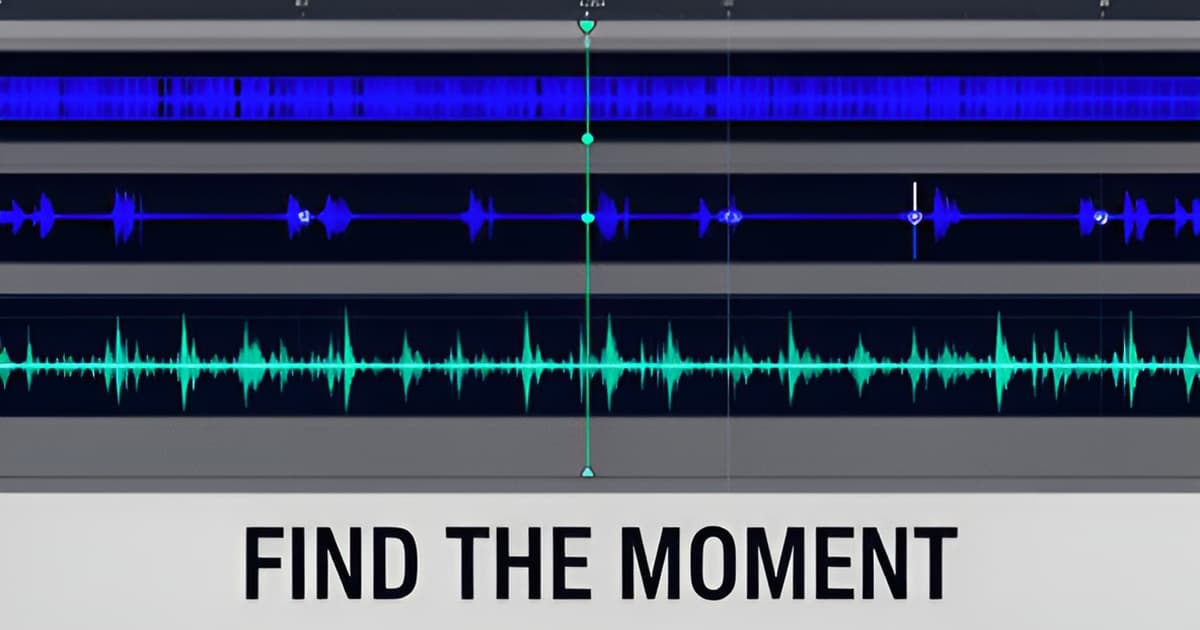
The same traffic stop often exists as bodycam, dashcam, and a second officer's camera, all with different clocks. Multi-camera sync links them to a single master clock, with auto-sync proposals computed from word-timing correlation and reported with the match evidence, something like "31 word matches, ±0.2 s spread." Nothing applies automatically; you accept or reject the sync. Once it's lined up, you get synced playback and an interleaved transcript, so you can watch the passenger-side camera while reading what the driver-side mic picked up. From there, the case timeline comes together: manual events where you want them, AI-suggested events where the footage supports them, tasks and notes attached to the moments they came from. For a suppression motion, the Miranda Timeline playbook assembles the custodial-interrogation sequence chronologically, and the Suppression Motion Prep playbook runs a sweep across consent, search scope, stop duration, K-9, and Miranda, drafting a motion outline with both sides quoted and cited. You still write the motion. But you're drafting from a grounded outline instead of a blank page and a deadline.
Discovery turnover and client-family sharing both run into the same problem: there are bystanders, minors, license plates, and screens full of PII in that footage. Redaction has to happen, and it has to be defensible. Frame-accurate video redaction works the way you'd want: drag a rectangle, choose black or blur. Audio redaction works at the word level, so you mute the exact span where someone reads out an address, not thirty seconds around it. Image and PDF redaction round it out, and the OCR keeps bounding boxes from the original scan so the redaction lands where the text actually is. Two design choices matter more than the features. Every redaction is saved as a new derived file; the original is never modified. And AI-suggested redaction regions, like faces and plates, file as suggestion cards marked "AI-suggested, needs review." Nothing is ever auto-applied. Every action is audited. If a prosecutor or a judge ever asks what you redacted and why, you have the answer.
Pricing is published, no sales call required. Solo is $39 per user per month with 15 media-processing hours included. Firm is $99 per user per month with 60 hours. Public-defender offices come in at $750 per attorney per year with 100 hours, which sits roughly 38% below JusticeText's published ~$1,200 per attorney per year. Overage is metered and hard-capped at 3x the included hours, so a runaway discovery dump can't produce a runaway invoice. Every plan gets the full workspace; there are no feature tiers holding redaction or sync hostage to a higher seat. New accounts verify email and start a 7-day full-access trial at Firm level with no card, and if a trial lapses, processing pauses but your cases and files stay reachable. Every paid plan carries a 14-day money-back guarantee. If you want a walkthrough first, you can book 20 minutes at evidencecopilot.com/book, or just start on Solo at evidencecopilot.com/signup.
The 40-hour bodycam dump isn't going away, and neither is the report that doesn't match it. The defenders who win those fights are the ones who can put a timestamp on the discrepancy and a clip in front of the judge. Transcription with word-level timestamps, ingest-time comparison against the report, cited answers you can verify in one click, synced cameras, and redaction that never touches the original: that's the workflow. Your judgment still makes the record. The tool just makes sure you're looking at the right second when you make it.